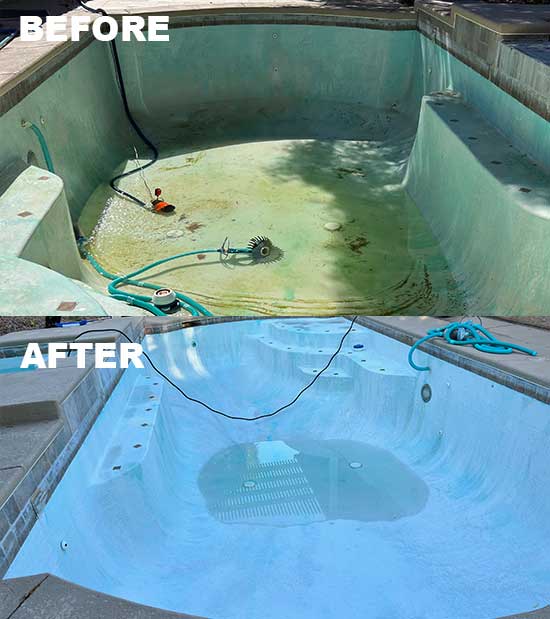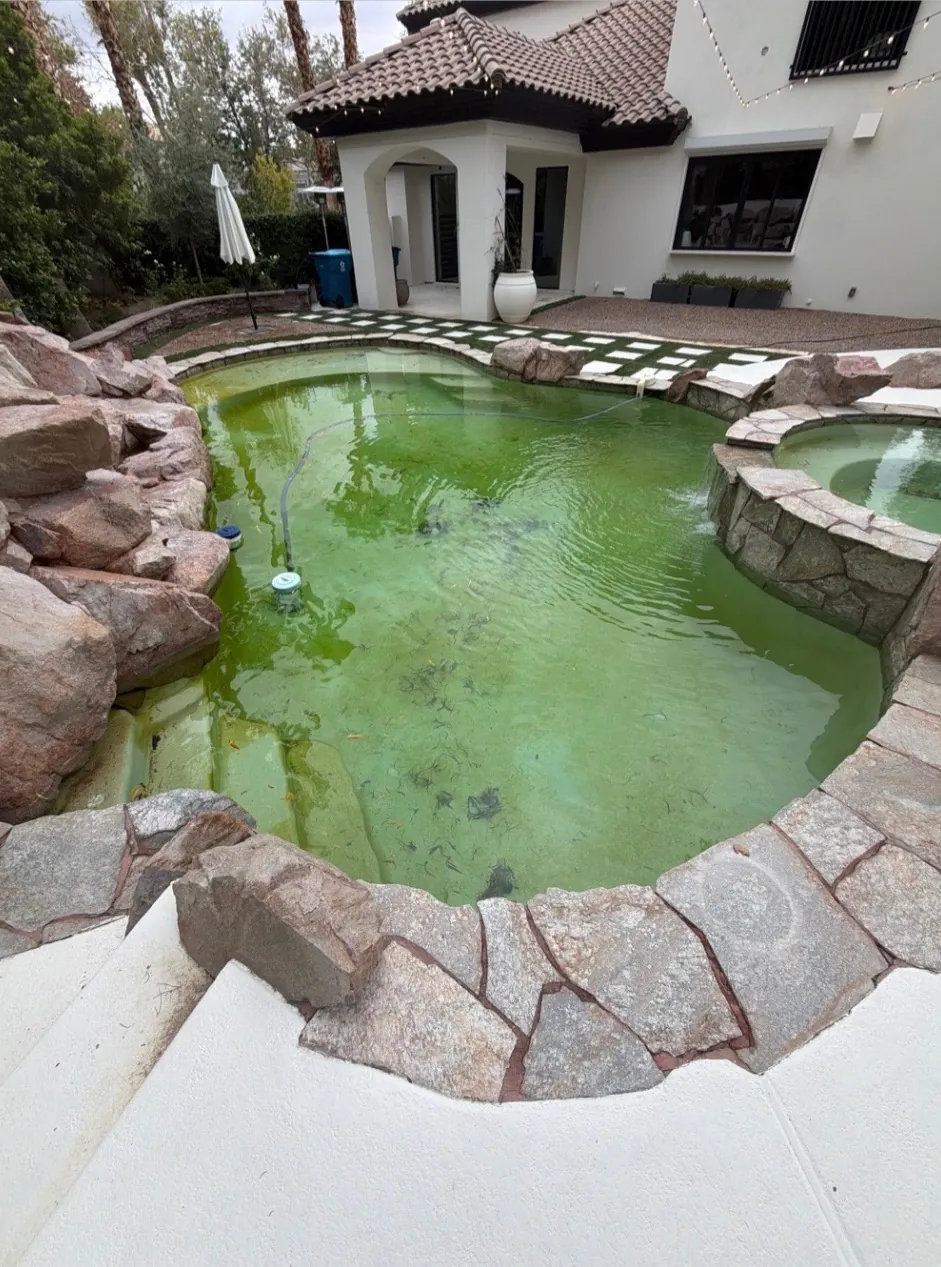
The wind finally died down overnight. You step outside in the morning and the pool looks nothing like it did yesterday: cloudy water, leaves and palm fronds on the bottom, a film of dirt on the surface and a skimmer basket packed so full it's overflowing.
If you own a pool in Las Vegas, you'll see this a few times a year. Summer monsoon storms and the strong wind storms that blow through the valley can both undo a clean pool in a single night. Here's what a storm actually does to your water, what you can safely do yourself in the first day or two, and when it's time to call a pro.
What Storms Do to Your Pool
Monsoon rain and dry wind storms hit pools in different ways, but the cleanup is mostly the same.
Debris and dust
Wind carries leaves, twigs, gravel from desert landscaping and fine dust straight into the water. Monsoon storms add mud and runoff. The big debris sinks or clogs the skimmer; the fine dust hangs in the water and makes it cloudy. (We cover the everyday dust problem in summer dust and weekly pool service.)
Chemistry thrown off
Rainwater dilutes your pool, and everything that blows in brings its own load. Organic debris uses up chlorine as it breaks down, so sanitizer can drop fast, and pH can drift. That's why a pool can look worse a day after the storm than it did the morning after.
Algae risk in the days after
Low sanitizer, warm water and a lot of organic material is exactly what algae likes. If the chemistry isn't brought back quickly, a cloudy pool can start turning green within days.
A filter that clogs fast
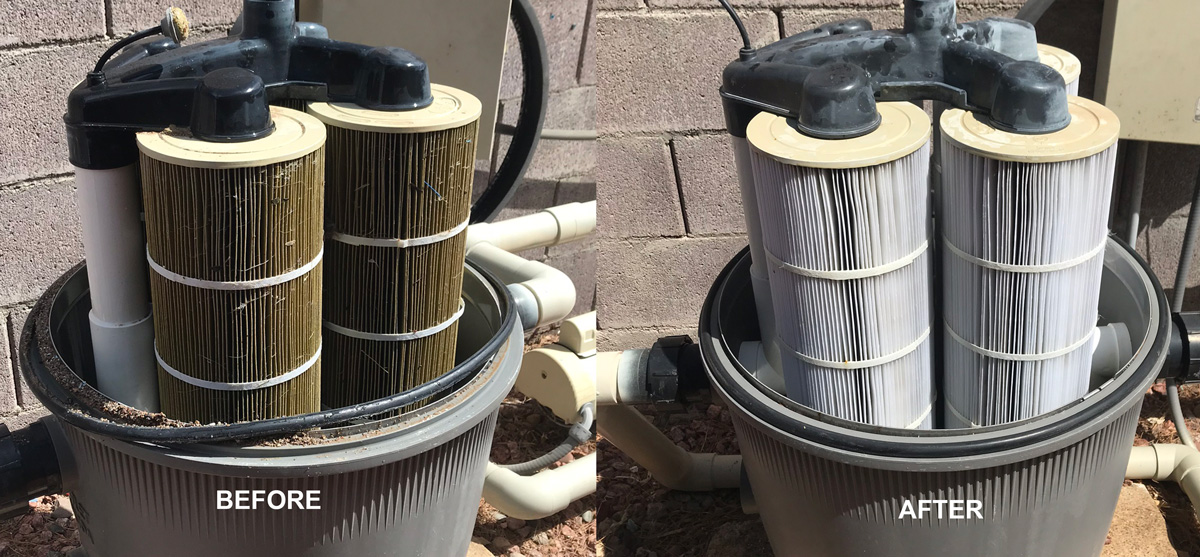
All that dirt ends up in your filter. After a big storm, a filter that was fine last week can load up quickly, pressure climbs, and flow drops just when you need the most circulation.
Water level up or down
Heavy monsoon rain can raise the water level. Long, hot wind storms can do the opposite and speed up evaporation. Either way, keep an eye on it: the water needs to stay in the normal range on the skimmer opening for the skimmer to work.
The First 24–48 Hours: Safe DIY Steps
Once the storm has passed and there's no lightning, these steps are safe for most homeowners:
- Check the equipment area first. If the pump, heater or panel area is flooded or the equipment got soaked, keep it off and call a pro. Don't touch wet electrical equipment.
- Skim the surface and remove the big debris with a leaf net before it sinks.
- Empty the skimmer and pump baskets. Full baskets choke circulation. You may need to empty them more than once.
- Run the pump to circulate and filter the water once the baskets are clear.
- Brush the walls and steps so dirt doesn't settle and stain.
- Test the water for sanitizer and pH and rebalance as needed. Retest the next day.
- Don't swim while it's cloudy. If you can't see the bottom clearly, stay out.
One thing not to do: don't try to drain or lower the water level yourself after heavy rain. Pumping water out the wrong way can damage the pool and break local discharge rules. If the level is a concern, call us. For a full list of routine tasks, see our weekly pool service checklist.
When to Call a Pro
- Heavy debris or murky water that won't clear. A one-time deep clean gets the pool back to clear without a contract.
- Filter pressure is high or flow is weak. Our filter cleaning covers cartridge, DE and sand filters, from $95. See how often to clean your pool filter.
- Storms keep coming all season. Weekly pool service means a CPO®-certified tech is already on the schedule to skim, clean baskets, check the filter and balance chemistry after each one.
- Flooded or soaked equipment. Leave it off and call (702) 626-4970.
Storm-Season Prep Tips
- Trim trees and shrubs that hang over the pool before monsoon season.
- Secure or store patio furniture, umbrellas and loose items that wind can throw in the pool.
- Clean the filter before the stormy months so it starts with room to spare.
- Keep a leaf net, brush and test kit where you can grab them.
- Know your normal filter pressure reading so you can tell when it's climbing.
- Keep chemistry balanced going into a storm so the pool has a buffer.
Storm Left a Mess?
Skip the cleanup. A one-time deep clean handles the debris and chemistry, and filter cleaning gets circulation back to normal.
Common Questions
How long after a storm can I swim?
Wait until the water is clear, the debris is out, and a test shows sanitizer and pH back in a normal range. If you can't clearly see the bottom of the pool, don't swim yet. If the water stays cloudy after a day or two of filtering, call a pro.
Why is my pool cloudy after a storm?
Storms blow in fine dust, dirt and plant debris and dilute or shift your chemistry. The debris uses up sanitizer, and the fine particles load the filter. Running the pump, cleaning the baskets and rebalancing usually clears it. If it doesn't, the filter may need cleaning.
Should I run my pump during a storm?
During lightning or if the equipment area is flooding, keep the equipment off for safety. Once the storm has passed and the equipment area is dry, empty the baskets and run the pump to circulate and filter the water. If the equipment got wet or flooded, leave it off and call a pro.
Do I need to clean my filter after a storm?
Often, yes. Dust and debris can clog a filter quickly. Check the pressure gauge after the cleanup: if it's noticeably higher than your normal clean reading, or flow is weak, the filter needs cleaning.
Let us handle the storm cleanup
Call (702) 626-4970 · Mon–Fri 8am–5pm · Sat 8am–3pm
Serving pools in Henderson, Summerlin, Green Valley, Anthem, Seven Hills and Silverado Ranch.